

AI Customer SupportThat Knows Your Brand
Transform your customer support with AI agents trained on your brand voice. Create personalized chatbots with text and voice capabilities that provide instant, accurate responses. When AI isn't enough, seamlessly escalate to human agents with built-in human support mode—maintaining your brand's unique personality across every interaction.
PowerfulFeatures for Support BV
Discover the advanced capabilities that make Support BV the ultimate solution for AI-powered customer support.
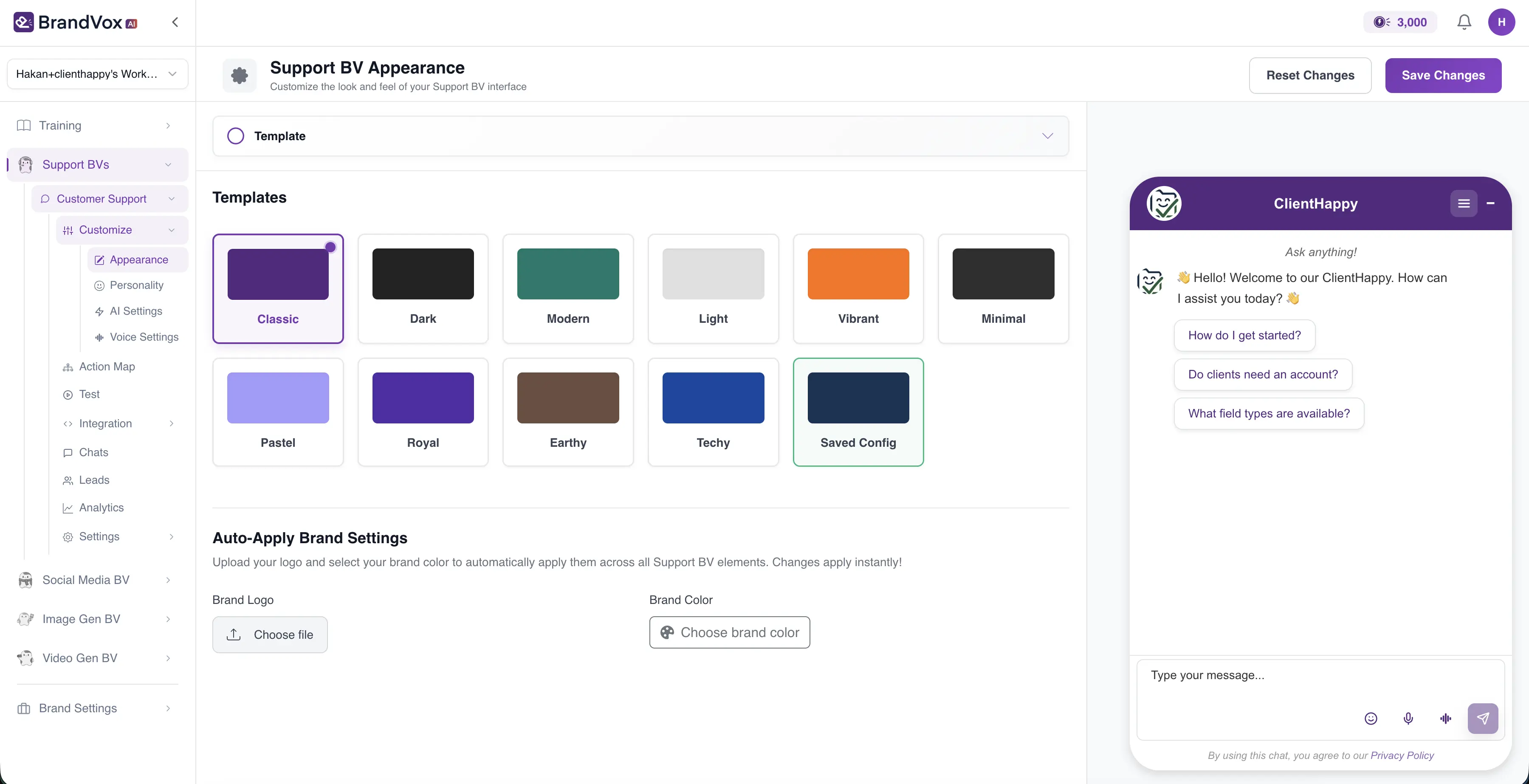
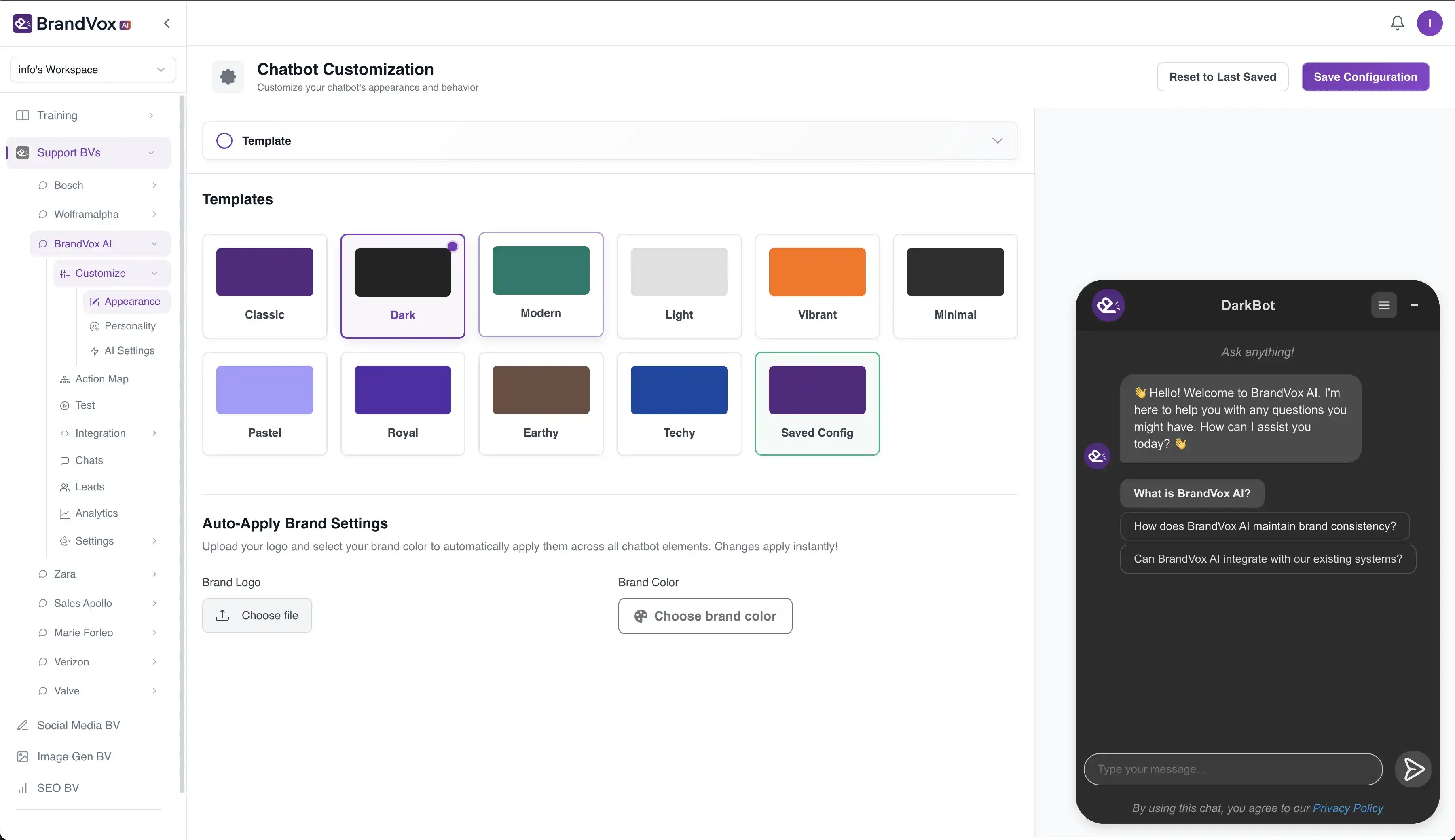
Advanced Customization
Customize every aspect from visual appearance to conversation flow.
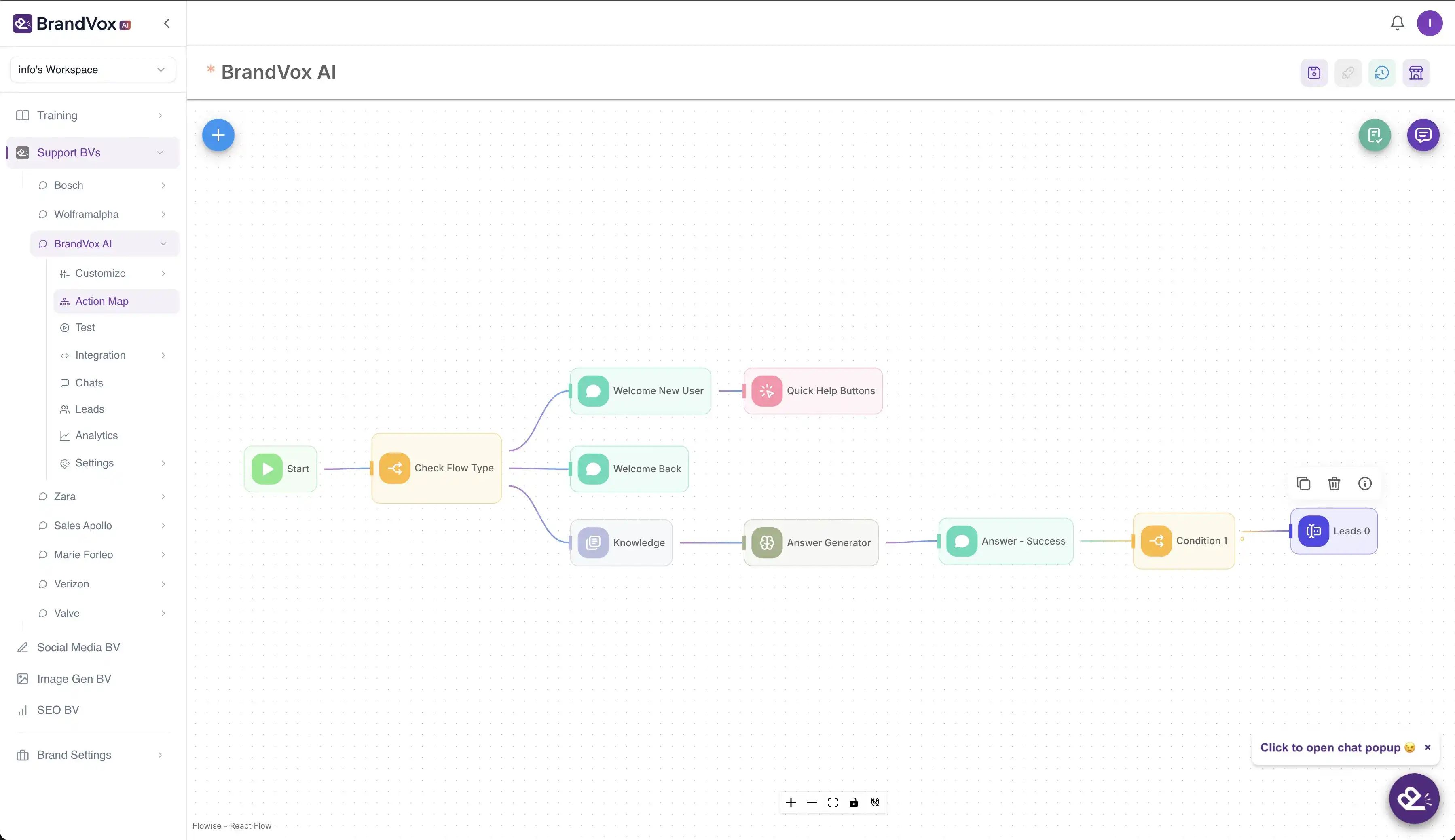
Action Mapping
Define intelligent workflows and automated actions.
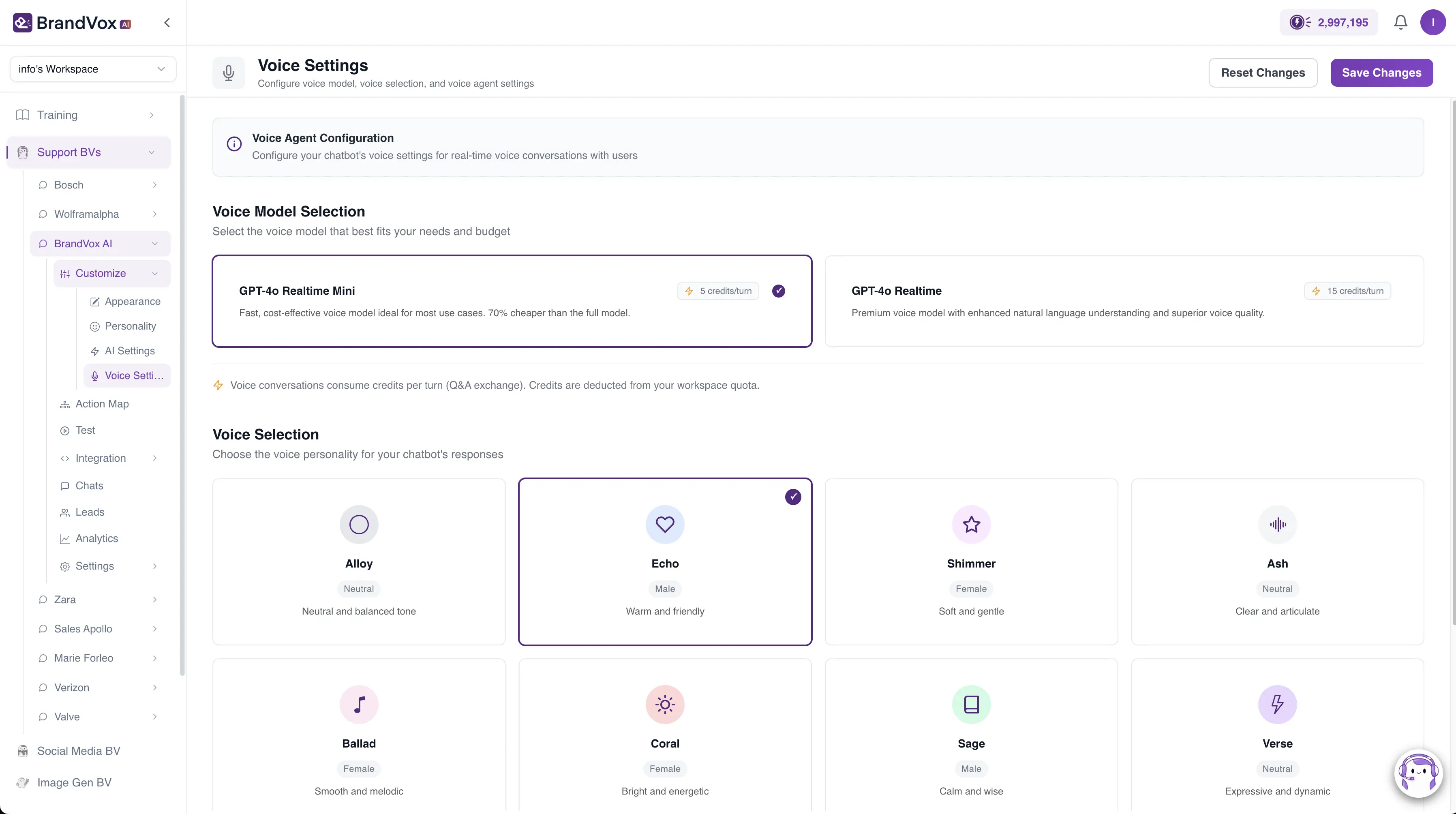
Voice Agent Mode
Enable real-time voice conversations with natural speech recognition and 10 unique voice personalities.
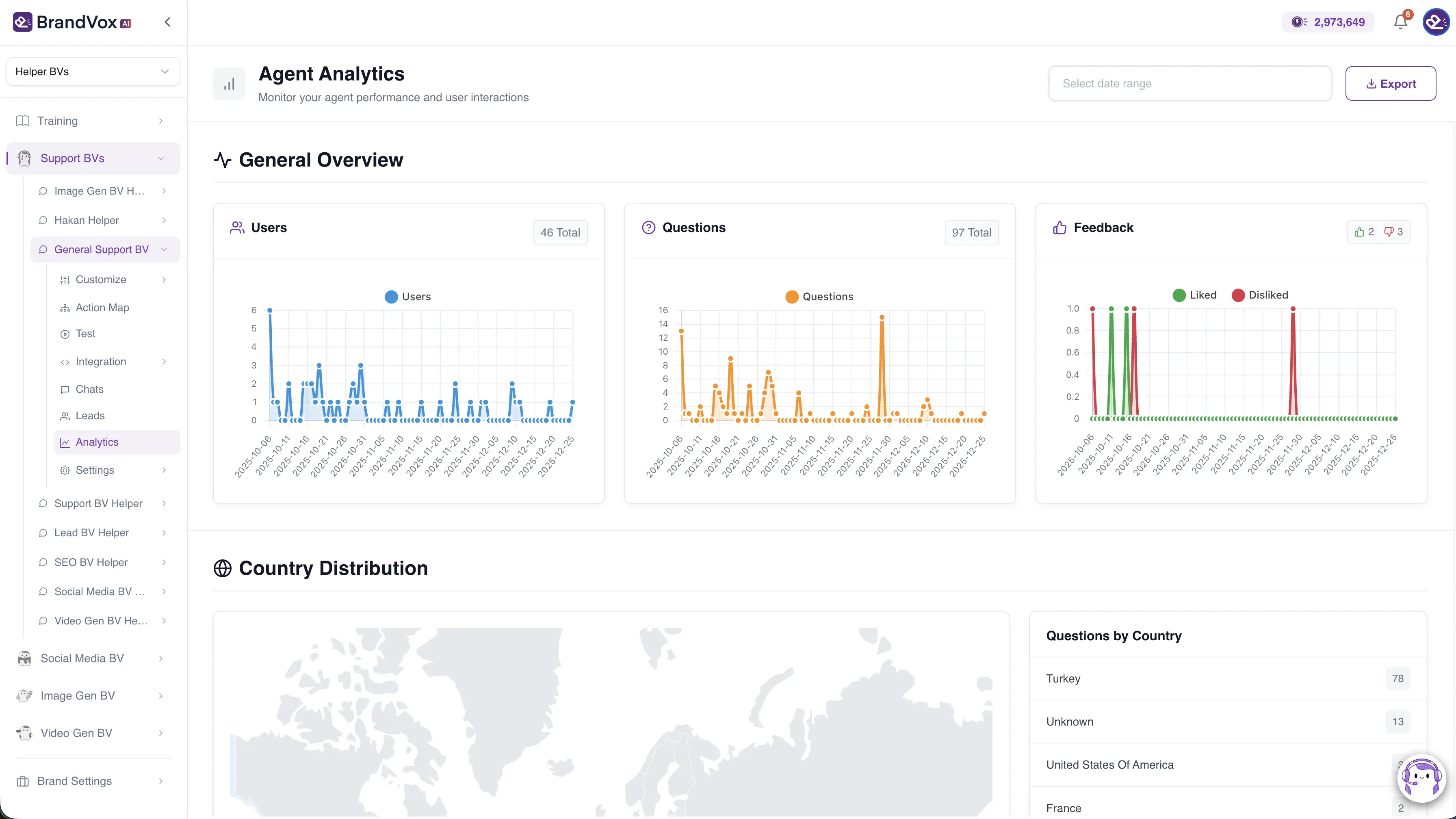
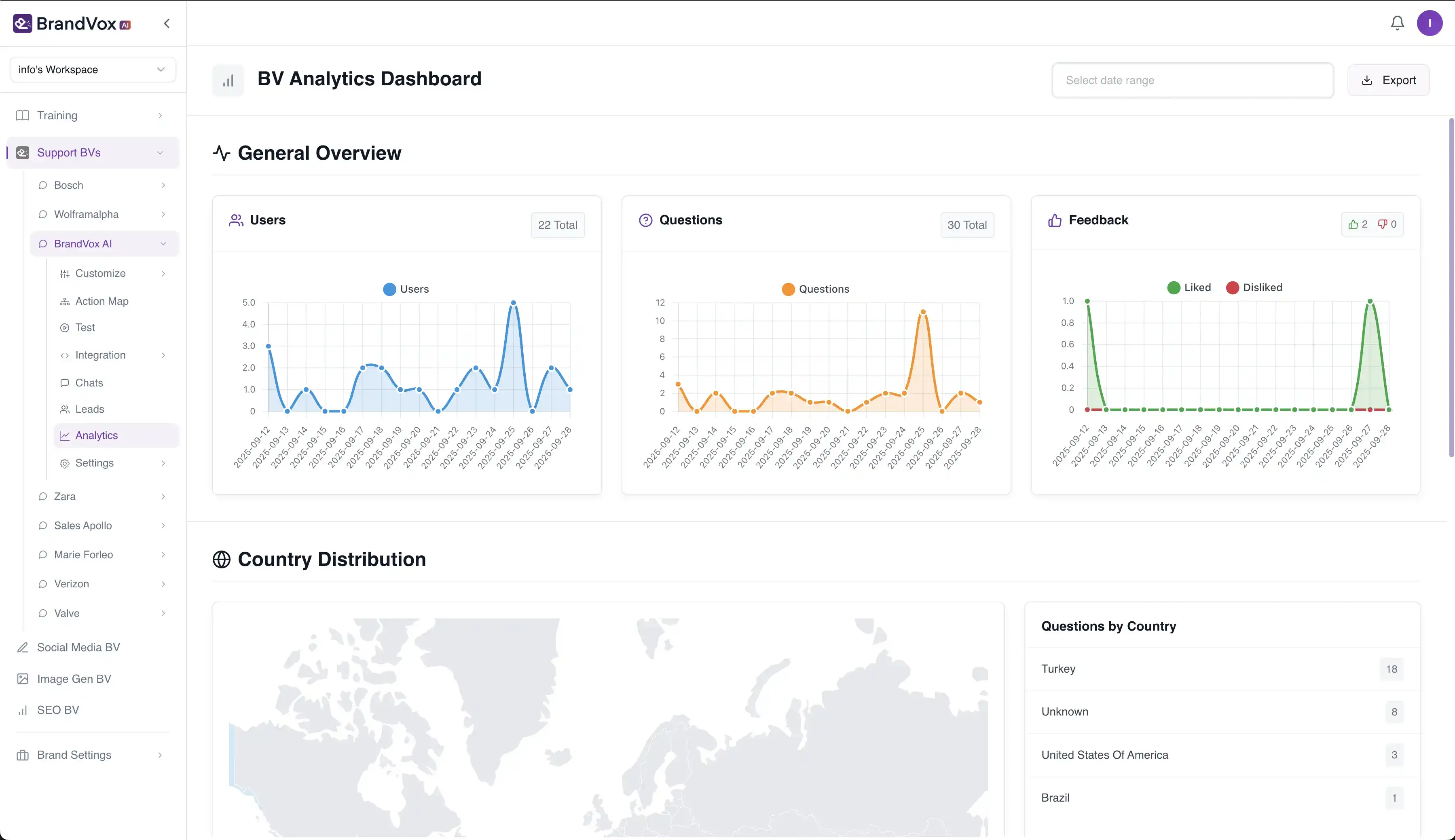
Real-time Analytics
Track performance metrics, conversation quality, and customer satisfaction in real-time.
Platform Integrations
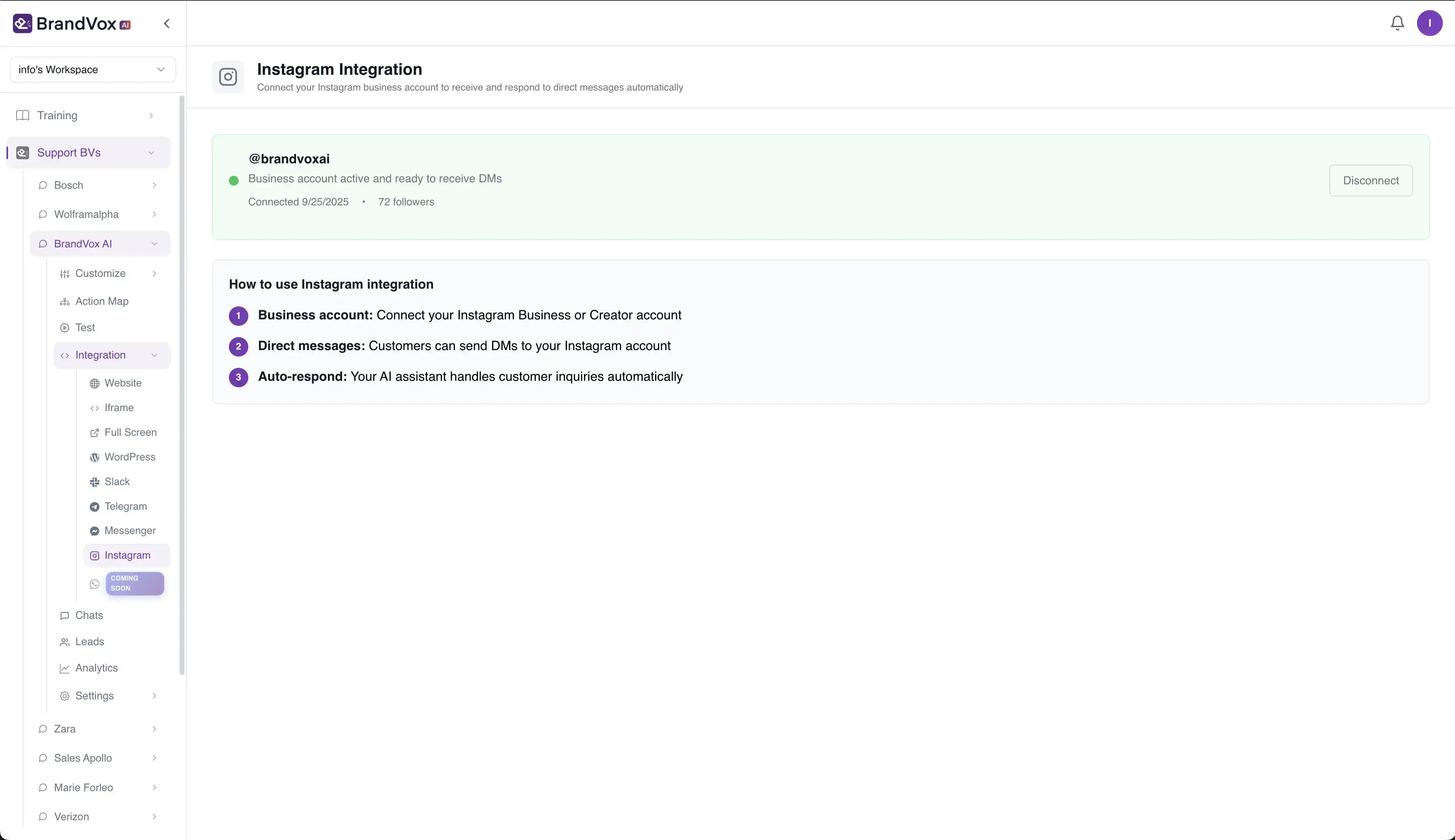
Connect with Instagram, Messenger, Telegram, Slack, and more.
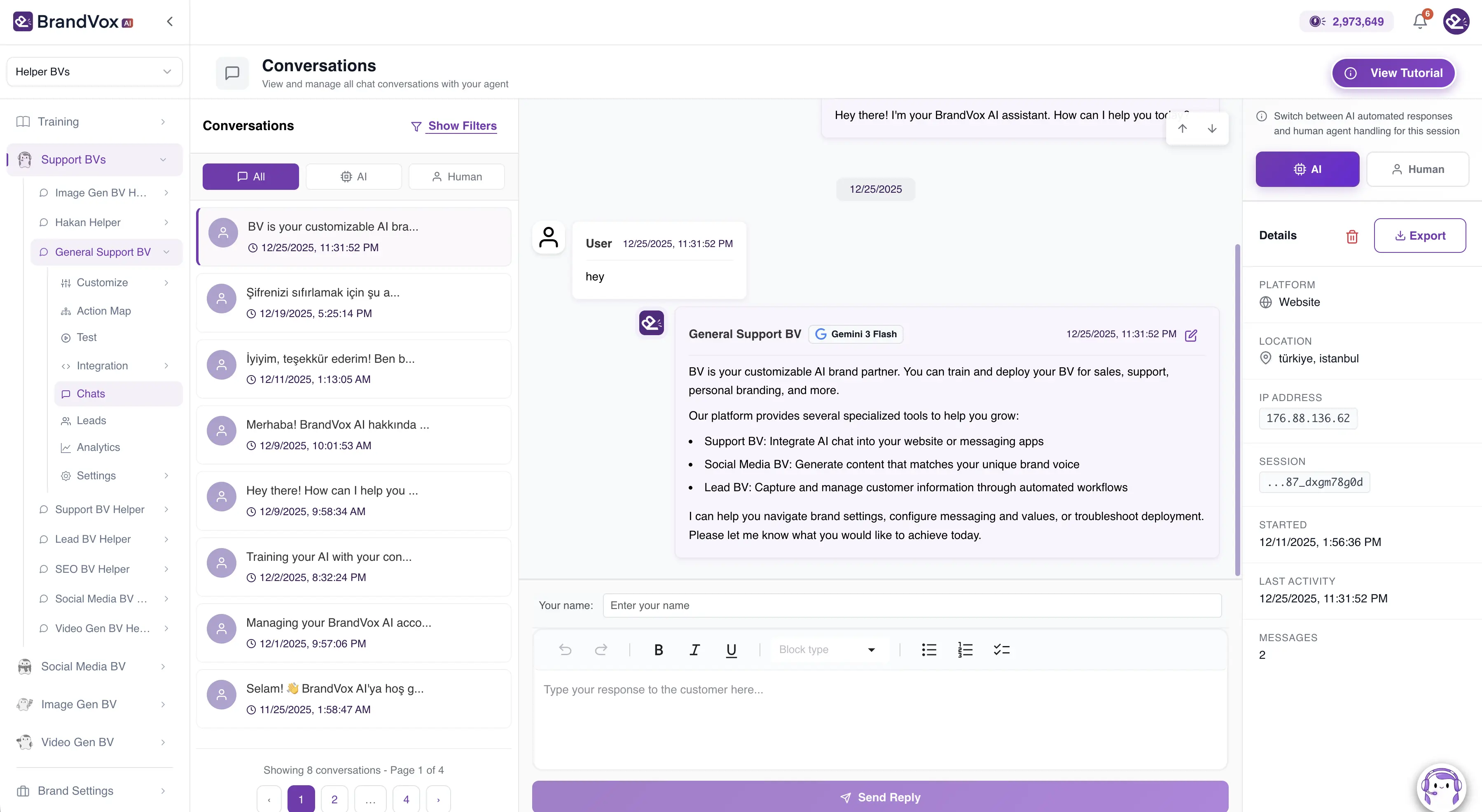
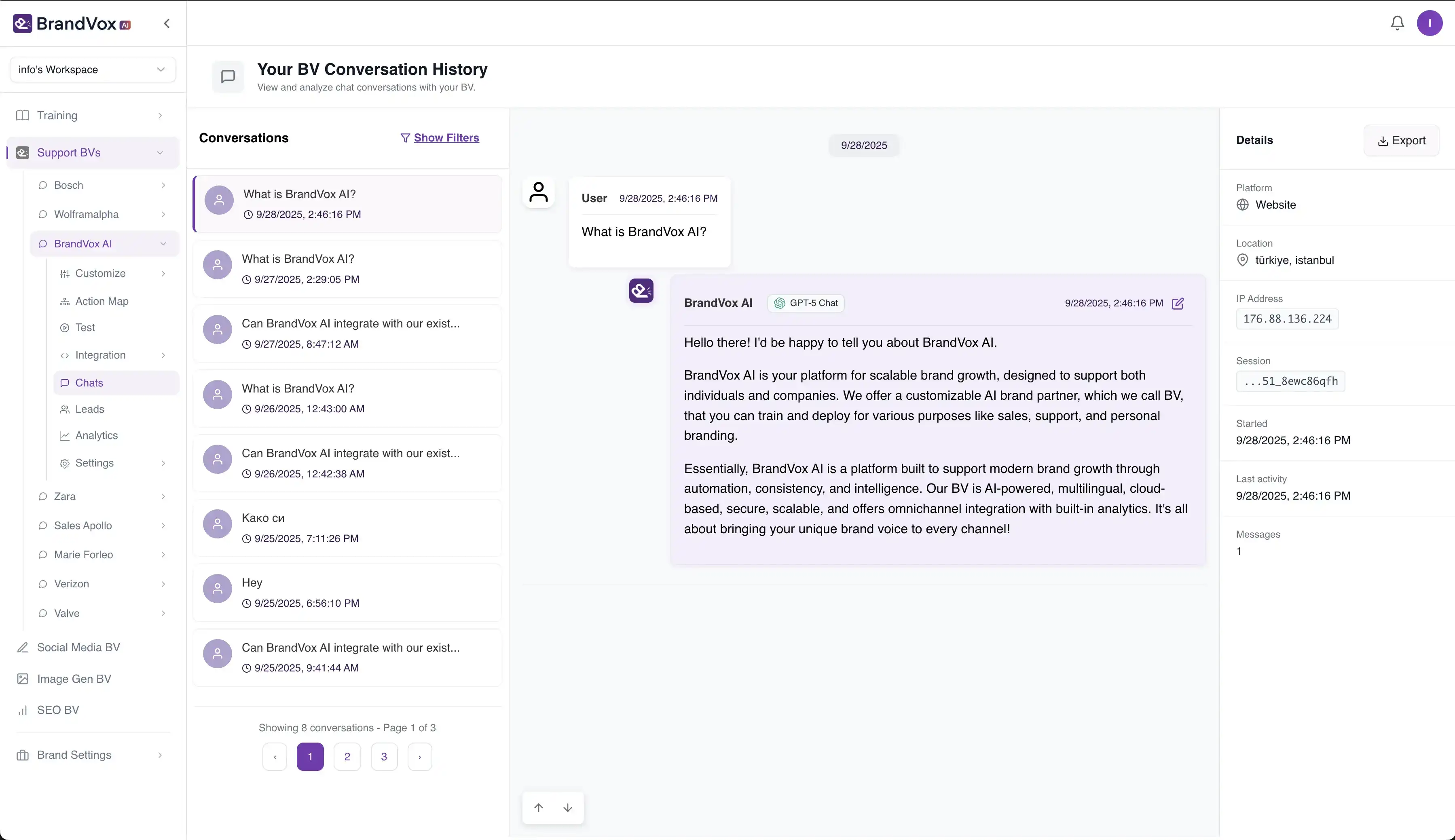
Conversation Management
Monitor all customer conversations in one unified dashboard. Seamlessly switch between AI and human support mode, with real-time escalation and markdown-enabled responses.
Transform every customer interaction into an opportunity with AI-powered support that works 24/7, understands your brand, and scales with your business.
How Support BV Works
Transform your customer support with AI in just 4 simple steps. From setting up your brand identity to deploying powerful Support BV across all your platforms.
Step 1
Step 1
Setup Your Brand Identity
Begin your journey by defining your brand's core identity. Set up your brand name, choose your tone of voice, and establish the personality that will guide all AI interactions across your applications.
Step 2
Step 2
Train Your Brand Voice
Feed your brand's unique voice into the system through multiple data sources. Upload your website content, documents, create custom Q&A pairs, and integrate with your existing content from Google Docs and Notion.
Step 3
Step 3
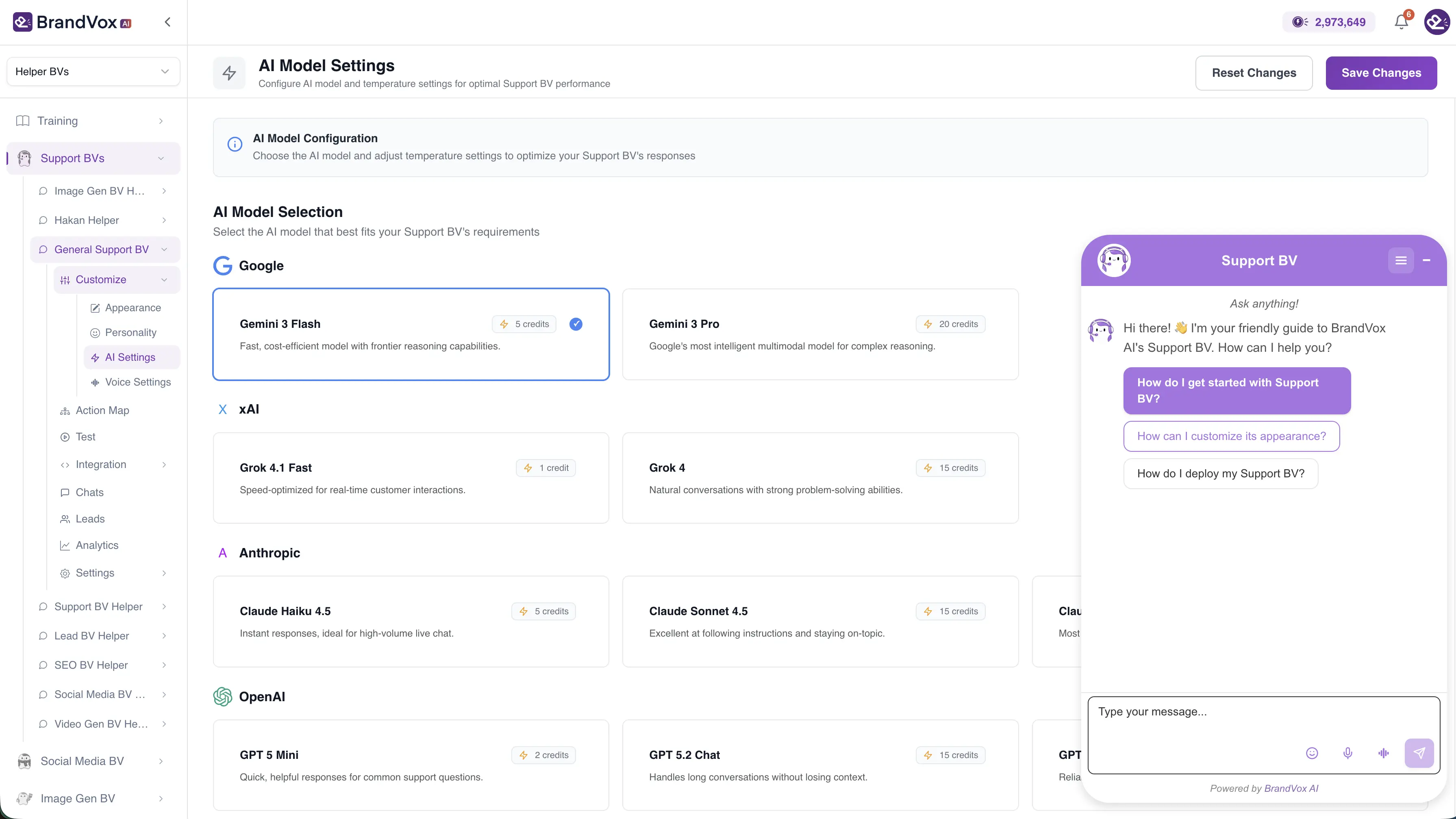
Configure & Customize Support BV
Fine-tune your Support BV application to match your specific customer service requirements. Customize conversation flows, set AI model preferences, configure platform integrations, enable voice agent mode, and adjust personality settings for optimal customer support.
Step 4
Step 4
Deploy & Monitor Support BV
Deploy your trained Support BV across your chosen platforms and start experiencing the power of brand-consistent customer support AI. Monitor conversations, analyze performance, and respond to human support escalations in real-time.
Deploy Your AI on Every Platform
Connect Support BV to your customers' favorite messaging platforms. Set up in under a minute and start providing AI-powered support everywhere.

Automate Instagram DMs

Messenger
Facebook Messenger Bot

Telegram
Telegram Bot Integration

Slack
Team Support Channel

WhatsApp Business API
See Support BV inAction
Explore real examples of AI support agents trained on different brands. Click any card to interact with live demos and see how Support BV adapts to various industries.

Sales BV
Zara Sales Assistant
Experience how Sales BV engages with customers, answers product questions, and guides purchasing decisions with brand-aligned responses.

Support BV
Verizon Customer Support
See how Support BV handles customer inquiries, troubleshoots issues, and provides 24/7 assistance while maintaining consistent brand voice.

Influencer BV
Marie Forleo
Watch how Influencer BV maintains personal brand voice, engages with followers, and scales authentic interactions.

Tutor BV
Wolframalpha Education
Learn how Tutor BV provides personalized educational support, explains complex concepts, and adapts to different learning styles.

HR BV
Valve HR Support
Discover how HR BV streamlines internal communications, answers policy questions, and assists employees with HR-related queries.

Company BV
Bosch Information
Explore how Company BV represents your brand, shares company information, and engages with stakeholders professionally.
Powered by Leading LLM Models
Support BV leverages the most advanced large language models to deliver intelligent, context-aware customer support conversations.


Model availability may vary based on your subscription plan. We continuously add new models as they become available.
Bring Your Brand Voice to Every Channel
Deploy your BV wherever your audience is - across websites, tools, and messaging platforms.
Current Integrations
Available connection options for deploying your BV today (coming soon: WhatsApp, Zapier, Make.com).

Website Bubble
Web

WordPress
CMS

iFrame
Embed
Dedicated Page
Standalone

Slack
Team Chat

Telegram
Messaging

Messenger
Social

Instagram
Social Media

WhatsApp
Messaging
Coming Soon

Zapier
Automation
Coming Soon

Make.com
Automation
Coming Soon
Power Up Your BV with Third-Party Apps
Connect your BV to the tools you already use. From productivity suites to custom APIs, make your brand voice work seamlessly across your entire tech stack.

Gmail
Email

Google Calendar
Scheduling

Google Drive
Storage

Google Sheets
Spreadsheet

Outlook
Email

Microsoft Teams
Communication

GitHub MCP
Development

Jira
Project Mgmt

Custom APIs
Custom
- MCP
Custom MCPs
Custom
- CMP
Composio
Automation
Slack MCP
Communication

Brave Search
Search

WolframAlpha
Computation

Stripe
Payments
Support BVFAQ
Get answers to frequently asked questions about Support BV and how it can transform your customer support strategy.
Need help setting up your Support BV? We're here to assist.
Get Support BV Help